SyncHz同频

Every Apple Music track at its own sample rate.

SyncHz is a free menu-bar app for Mac. It switches your DAC to the rate of the track Apple Music is playing, from 44.1 to 192 kHz, so Lossless and Hi-Res Lossless arrive bit-perfect. When you want it, a headphone EQ that reads AutoEq and PEQdB presets.

Free and open source. macOS 15 or later, Apple Silicon and Intel.

Clair de luneClaude Debussy
In sync
Apple Music
96kHz
Your DAC
96kHz

24-bit ALAC, Hi-Res Lossless

  1. 44.1
  2. 48
  3. 88.2
  4. 96
  5. 176.4
  6. 192
SyncHz's menu-bar panel next to its parametric EQ: Apple Music playing Clair de lune as 24-bit 96 kHz ALAC, the output locked to 96 kHz, and a Sennheiser HD 600 AutoEq preset drawn over a live spectrum
The panel lives in your menu bar. The EQ opens beside it.

Two jobs, done quietly.

macOS keeps your output device at one sample rate and resamples everything else without telling you. SyncHz fixes that first, and then, only if you ask, corrects your headphones.

Sample-rate switching

SyncHz reads the format Apple Music is decoding and sets your output device to match within about a second of a track change. It is the same setting you would change by hand in Audio MIDI Setup.

  • Every Apple Music rate: 44.1, 48, 88.2, 96, 176.4 and 192 kHz
  • Source and output side by side, with the codec, bit depth and quality tier
  • Debounced, so it never flaps in the middle of a track
  • Manual override for any rate your device supports

Headphone EQ

A parametric equalizer for Apple Music that needs no virtual driver. Import a preset, drag the curve, scroll to set Q, and keep a profile for each pair of headphones.

  • AutoEq, PEQdB and Equalizer APO presets import as they are
  • Up to 32 bands: peaks, low shelves and high shelves
  • Correct at every rate, re-fitted to the track that is playing
  • Follow the track or hold the EQ at 48 kHz, your choice

Notes from the workbench.

I built SyncHz for my own listening: a HiFiMAN Susvara, a Sennheiser HD 800 S and an HD 600 on the desk, JVC HA-FW10000 in-ears on the go, and a lot of Apple Music. These are the parts I am proudest of.

A PEQ on Apple's Accelerate, in double precision

The first EQ engine was a hand-written biquad cascade in Swift, one sample at a time. Accurate, and about 10% of a CPU core for 16 bands of stereo at 192 kHz. Now the whole cascade runs on vDSP_biquadD from Accelerate, a block of up to 1,024 frames per call.

Swift, one sample at a time10.1%
vDSP_biquadD, SyncHz today0.55%
vDSP.Biquad<Float>, fast but off by −11 dB0.61%

The single-precision path is just as fast and unusable: bass filters with a high Q have poles so close to the unit circle that Float coefficients cannot place them, and headphone presets are full of those filters. So the maths stays in Double. On the audio thread there are no locks and no allocations; a new preset arrives through one atomic swap, and two filter banks crossfade over 20 ms so an edit never clicks.
Speaking AutoEq and PEQdB fluently

SyncHz uses the same RBJ cookbook filters and shelf conventions as both generators, so a preset means exactly what it meant on their side. The subtle part is the sample rate. Generators fit their filters at one rate, 44.1 kHz for AutoEq and 48 kHz for PEQdB, and the same numbers drift in the top octave when played at 96 or 192 kHz.

Real PEQdB presets, played unchangedup to 4.3 dB
A typical AutoEq preset, played unchanged1.9 dB
Re-fitted by SyncHz at the playback rate≈0.04 dB

Each band is re-fitted at the rate that is playing to the response it had at its design rate, and split into two sections when one cannot follow. The fit is cached, so a rate change costs nothing you can hear.

Apple Music, tapped without a driver

The EQ uses the Core Audio process tap from macOS 14.4: a muted tap on Apple Music feeds a private aggregate device, the filters run there, and the result goes to your real output. A few lessons from getting it right:

  • Tap the device's own stream, not the stereo mixdown. The mixdown is pinned to 48 kHz and resamples a 96 kHz track before you see it.
  • Order the aggregate's inputs: the tap comes after the device's own inputs, or a DAC with a microphone input hands you silence.
  • Declare audio input, even though nothing is recorded. Without it macOS denies the tap without a word.

With the EQ off, SyncHz is out of the signal path entirely.

In your language.

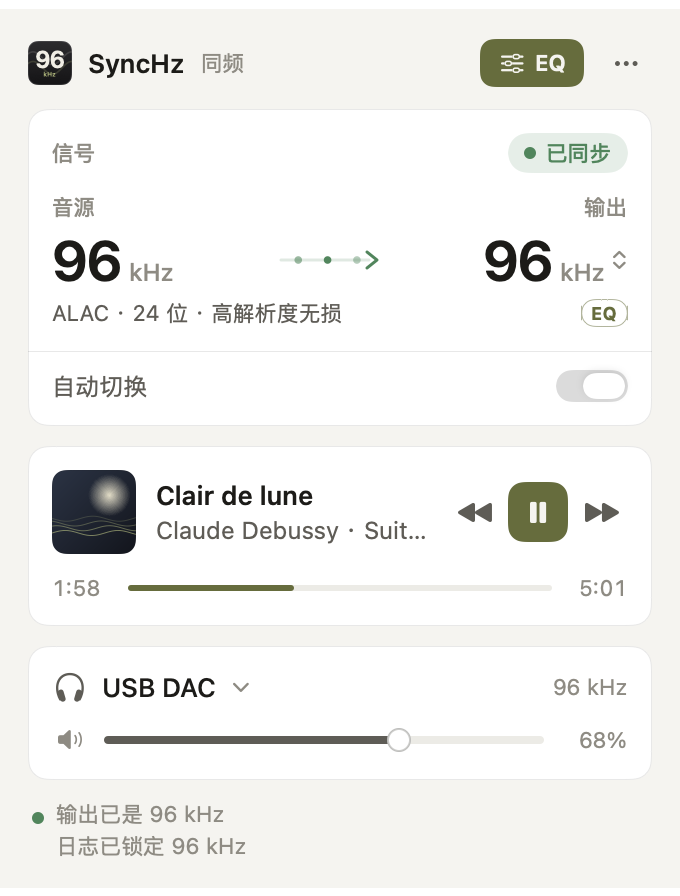
SyncHz panel in Simplified Chinese
简体中文
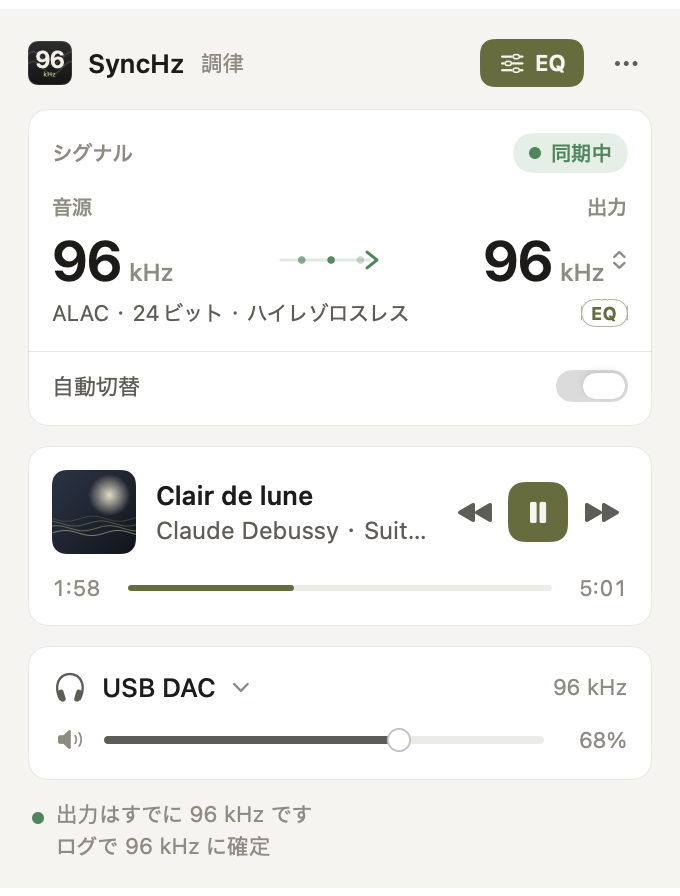
SyncHz panel in Japanese
日本語
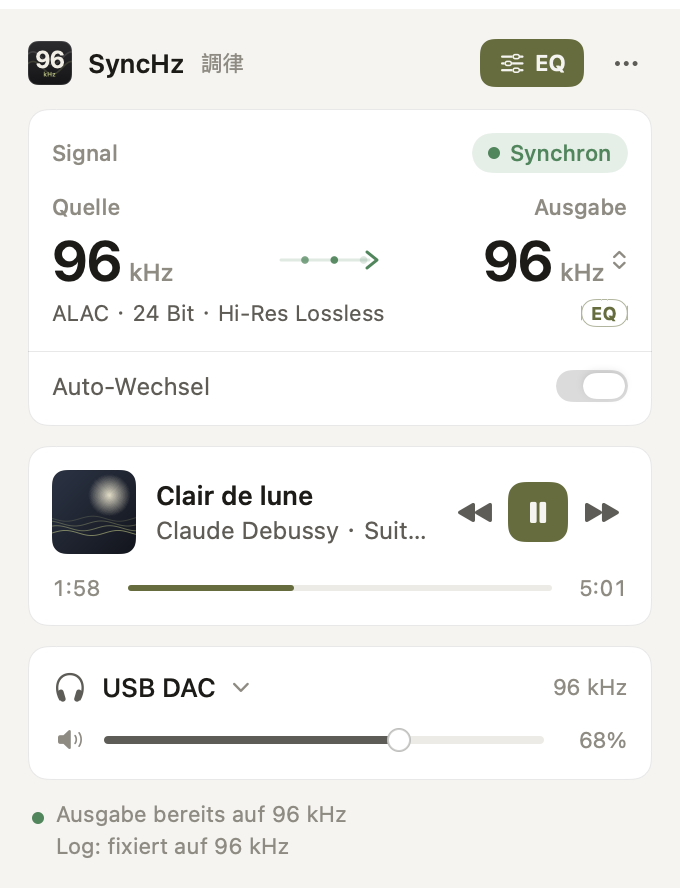
SyncHz panel in German
Deutsch

English, 简体中文, 繁體中文, 日本語, 한국어, Deutsch, Español, Français, Italiano, Nederlands, Português (Brasil) and Русский. Switch any time from the ⋯ menu, whatever language your Mac is set to.

Install in a minute.

  1. Download the app

    Get the latest .dmg from GitHub Releases and drag SyncHz into Applications.

  2. Allow the first launch

    SyncHz is not notarized yet, so macOS blocks the first launch. Run this once in Terminal:

    xattr -dr com.apple.quarantine /Applications/SyncHz.app
  3. Play something in Apple Music

    Allow SyncHz to control Music when asked. Turning on the EQ for the first time asks for audio access, which lets the tap receive Apple Music's sound. Your microphone is never recorded.

Questions.

Does SyncHz make Apple Music bit-perfect?

With the EQ off, yes. The output device runs at the rate of the track Apple Music is decoding, so nothing is resampled, and SyncHz never touches the audio. With the EQ on, the samples are processed, and the panel says so.

Is it the same as LosslessSwitcher?

Same core idea, different build. SyncHz adds the headphone EQ, a now-playing panel, device and volume control and 12 languages, and targets macOS 15 and 26. LosslessSwitcher is the original and still excellent, especially on older macOS.

Does it work with Spotify, Tidal or Qobuz?

No. SyncHz reads Apple Music's own playback, so it is for Apple Music only.

Do I need a driver like BlackHole?

No. Rate switching is a plain Core Audio setting, and the EQ uses Apple's process-tap API. No driver, no admin rights.

Which DACs work?

Any output device that macOS can set to more than one sample rate in Audio MIDI Setup: USB DACs, headphone amplifiers and audio interfaces.

Does it collect any data?

No. Its only network request is a check for a newer release on GitHub, once per launch. No account, no identifier, no analytics.